

Brands that consistently ship on time share one operational habit: they structure product data in a multi-level BOM. Not a flat material list — a true bill of materials with hierarchy. One that maps every component, sub-assembly, and raw material in the order production actually consumes them.
A multi-level BOM in fashion is a hierarchical product record. It organizes everything needed to produce a finished garment into levels. Level 0 is the finished product. Below it sit sub-assemblies, individual components, and raw materials. Furthermore, each level has a parent-child relationship to the one above it. Specifically, this structure mirrors the assembly sequence on the factory floor — not just the sourcing list on a buyer’s spreadsheet.
For apparel brands managing more than 20 styles per season, the multi-level BOM is the backbone of accurate costing, sourcing, and production handoff. In other words, it is the document that keeps product data consistent from design to factory floor. This guide covers how to build one, what each level contains, and how PLM software keeps multi-level BOMs synchronized across teams and suppliers.
What Is a Multi-Level BOM in Fashion?
A multi-level BOM is a structured product record that breaks a finished garment into hierarchical tiers. The finished product sits at Level 0. Major sub-assemblies occupy Level 1. Individual components live at Level 2. Raw materials — with specs and supplier assignments — appear at Level 3.
Consider a bomber jacket. In a flat BOM, it reads as a list: fabric, zipper, lining, buttons. In contrast, a multi-level BOM reads differently. The outer shell is a sub-assembly. It consists of fabric panels, rib cuffs, and a zipper component. Each of those components requires raw materials: a specific nylon shell fabric at a defined GSM, a matching thread, and an approved interlining. As a result, every relationship is explicit — and traceable.
Our finding: Wave PLM customers who implement multi-level BOM structures report 30–40% fewer revision cycles per season. The main reason is that component changes propagate automatically to all parent items — rather than requiring manual updates across every affected style.
For a foundational overview of what a BOM includes, see our guide to BOM tables in fashion production. This article goes deeper — focusing on multi-level structure, level-by-level data, and how the BOM connects to sourcing and costing.

How Is a Multi-Level BOM Different from a Flat BOM?
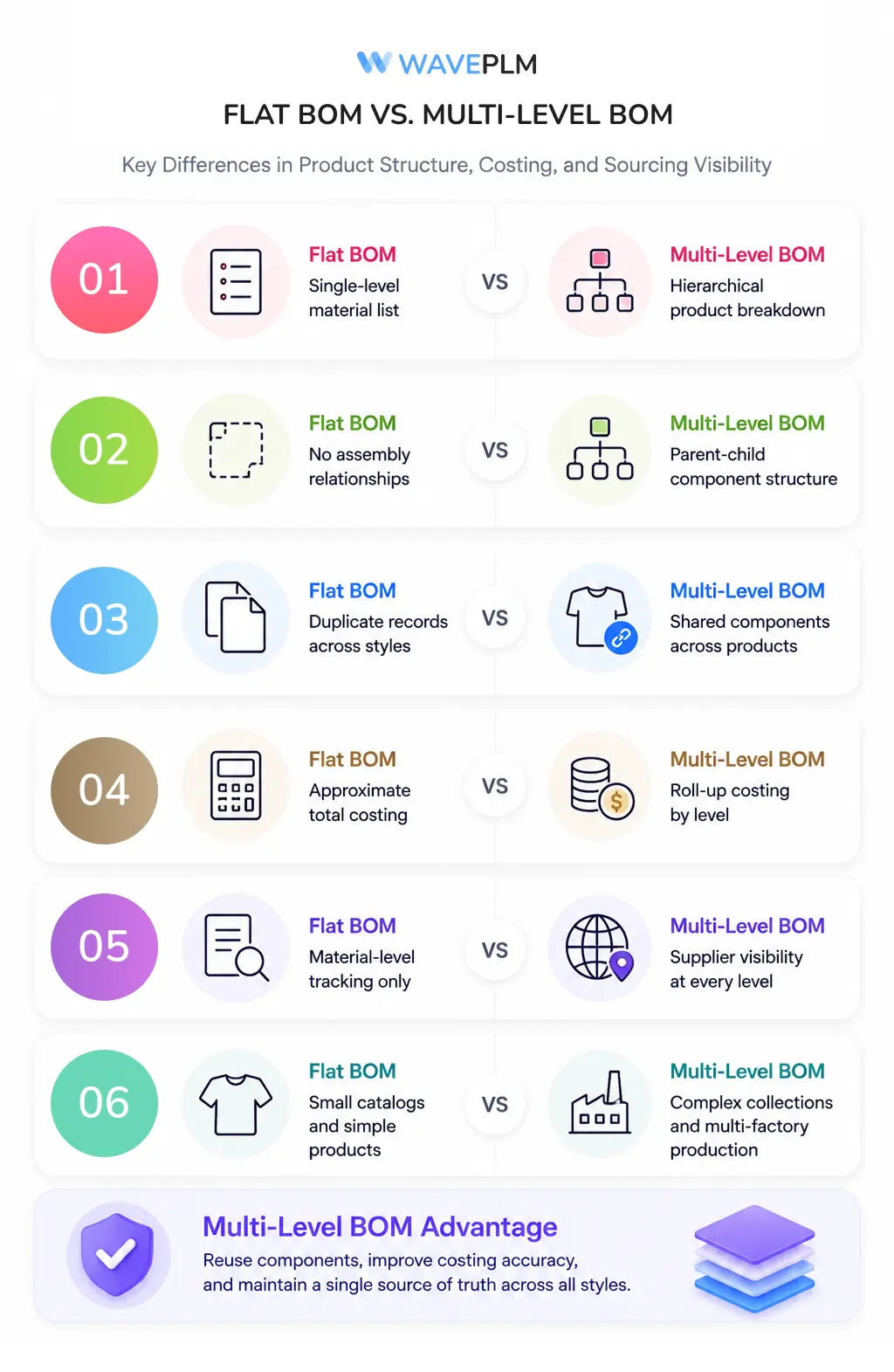
A flat BOM lists all materials at the same depth in one table. It works for simple products with a small, stable catalog. It breaks down quickly when products become more complex or when the same component appears across multiple styles.
The key difference is hierarchy. A flat BOM answers what goes into a garment. A multi-level BOM answers how those parts relate and when each is consumed during production.
| Feature | Flat BOM | Multi-Level BOM |
|---|---|---|
| Structure | Single list, all items at the same depth | Hierarchical levels (0–3+) |
| Sub-assemblies | Not represented | Explicit parent-child relationships |
| Component reuse | Duplicated across styles | Single record referenced across all styles |
| Costing accuracy | Approximation only | Level-by-level cost rollup |
| Sourcing visibility | Material list only | Supplier linked to each component at each level |
| Best for | 1–15 SKUs, simple constructions | 20+ SKUs, multi-factory, complex garments |
Additionally, a multi-level BOM enables component reuse. A specific button from a particular supplier can appear in ten different styles. It lives as one component record — referenced by all ten styles. When the supplier changes pricing or lead times, the update flows to every affected product. Consequently, brands avoid the seasonal scramble of updating the same component in ten separate spreadsheets.
What Levels Does a Fashion BOM Typically Include?
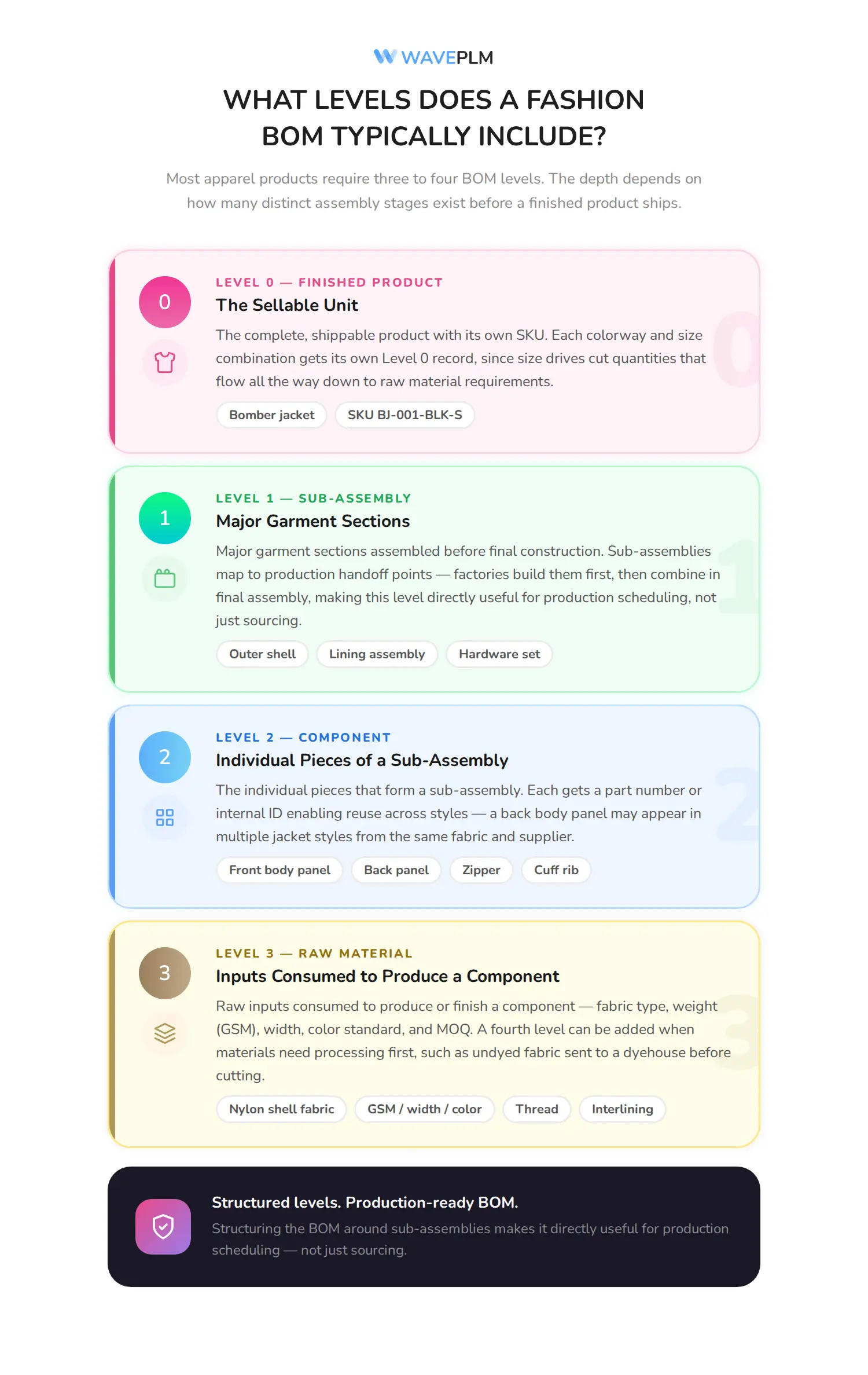
Most apparel products require three to four BOM levels. Simpler garments — a jersey tee, a woven shirt — typically use three. Complex garments like structured outerwear or technical activewear may require four or five. The depth depends on how many distinct assembly stages exist before a finished product ships.
| Level | Name | What It Represents | Examples |
|---|---|---|---|
| 0 | Finished Product | The sellable unit | Bomber jacket, SKU BJ-001-BLK-S |
| 1 | Sub-Assembly | Major garment sections assembled before final construction | Outer shell assembly, lining assembly, hardware set |
| 2 | Component | Individual pieces that form a sub-assembly | Front body panel, back panel, zipper, cuff rib |
| 3 | Raw Material | Inputs consumed to produce or finish a component | Nylon shell fabric (GSM, width, color), thread, interlining |
In practice, Level 1 sub-assemblies correspond to production stages. Factories typically build sub-assemblies first and combine them in final assembly. Therefore, structuring the multi-level BOM around sub-assemblies makes it directly useful for production scheduling — not just sourcing. Furthermore, a fourth level is worth adding when raw materials require processing before use. If fabric arrives undyed and a dyehouse treats it before cutting, the dye, chemicals, and processing cost can appear at Level 4 beneath the fabric component.
How Do You Build a Multi-Level BOM for an Apparel Product?
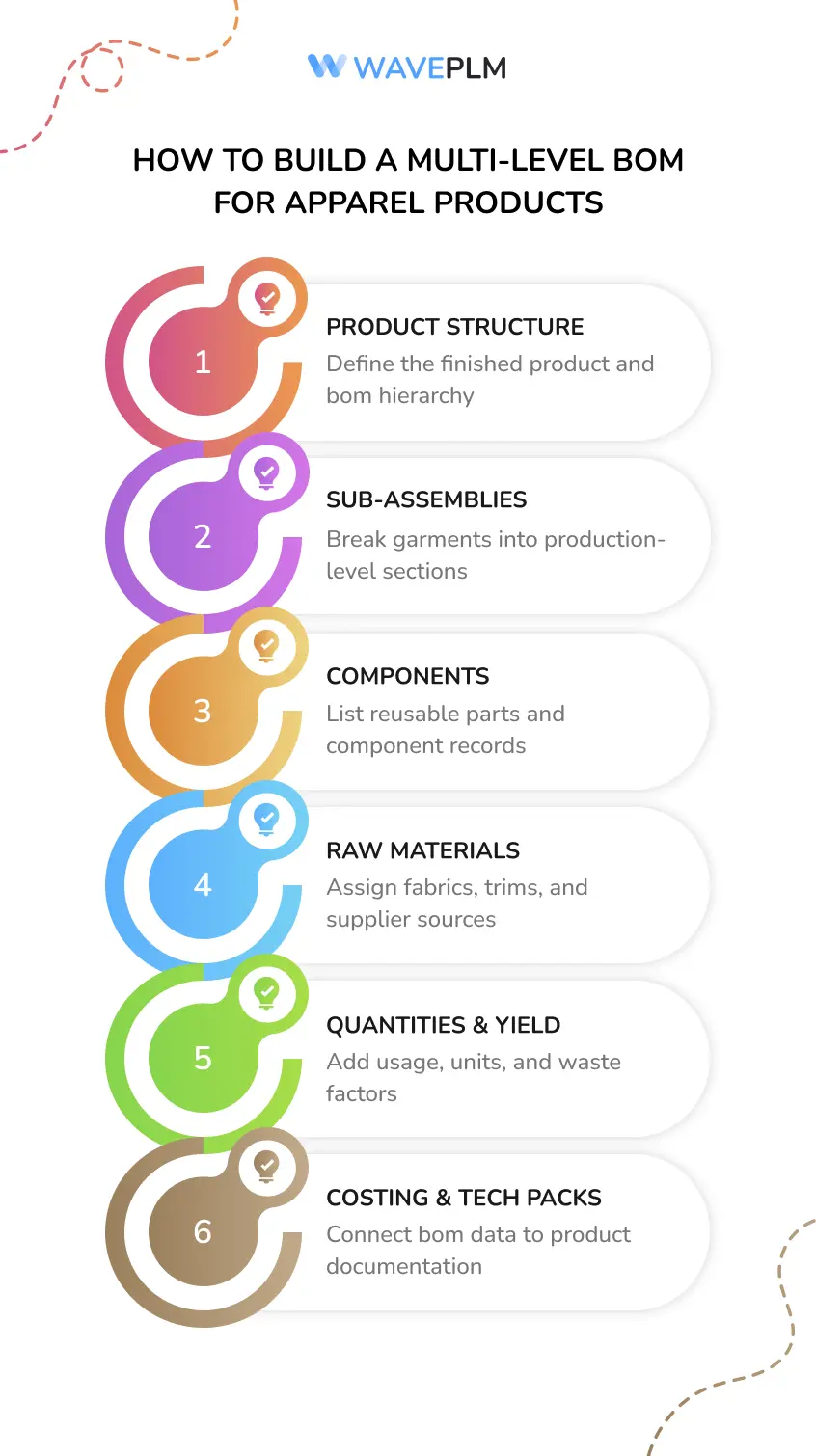
Building a multi-level BOM starts with the finished product and works downward. The process below applies whether you use PLM software or a structured spreadsheet template.
Steps 1–3: Product, Sub-Assemblies, and Components
Step 1 — Define Level 0. Start with the finished product. Each colorway and size combination with a unique SKU needs its own BOM root. A jacket in two colors across five sizes requires ten Level 0 records. Specifically, size affects cut quantities, which flow down to raw material requirements at Level 3.
Step 2 — Identify Level 1 sub-assemblies. Decompose the finished product into major sections assembled before final construction. For outerwear, this typically means an outer shell, a lining, and a hardware or trim set. Furthermore, sub-assemblies should correspond to production handoff points — stages where work passes between workstations or factories.
Step 3 — List Level 2 components. For each sub-assembly, list the individual pieces it requires. In addition, assign a part number or internal ID to each component. This enables reuse across styles. A back body panel may appear in multiple jacket styles with different cut dimensions but sourced from the same fabric and supplier.
Steps 4–6: Materials, Quantities, and Document Links
Step 4 — Define Level 3 raw materials. For each component, specify the raw materials needed to produce it — fabric type, width, weight (GSM), color standard, and minimum order quantity. At this level, assign a confirmed supplier for each material. As a result, the multi-level BOM becomes a live sourcing document. Every material has an owner, a source, and a price.
Step 5 — Add quantities, units, and waste factors. Each item at every level needs a quantity and a unit of measure: meters of fabric, pieces of hardware, grams of thread. Moreover, specify yield loss and waste percentages at Level 3. Brands that omit waste factors consistently under-order materials and pay spot prices for emergency top-ups.
Step 6 — Link to tech pack and costing sheet. A multi-level BOM complements a spec sheet — it does not replace it. Similarly, your costing sheet should draw directly from BOM data rather than maintain a separate material list. For guidance on integrating BOM data into cost calculations, see our garment costing guide.
What Information Belongs at Each BOM Level?
A well-structured multi-level BOM captures different data at each level. Higher levels focus on product identity and assembly logic. Lower levels focus on material specification and sourcing. The table below outlines required and recommended fields at each tier.
| Level | Required Fields | Optional but Recommended |
|---|---|---|
| 0 — Finished Product | SKU, product name, colorway, size, season | Target cost, retail price, category tag |
| 1 — Sub-Assembly | Assembly name, part number, quantity, unit | Production stage, QC checkpoint flag |
| 2 — Component | Component name, part number, quantity, unit, assigned supplier | Approved alternates, lead time, MOQ |
| 3 — Raw Material | Material name, spec (GSM, width, fiber content), quantity, unit, supplier, price per unit | Lab dip approval status, color standard reference, waste factor % |
Importantly, every raw material at Level 3 needs a confirmed supplier from your approved vendor list. Materials without a supplier assignment are planning assumptions — not BOM entries. Notably, unassigned materials at Level 3 are one of the most reliable predictors of last-minute delays in bulk production. This is where the multi-level BOM connects directly to your fabric sourcing workflow.
How Does a Multi-Level BOM Connect to Sourcing and Costing?
A multi-level BOM makes cost rollup automatic and sourcing gaps immediately visible. Both advantages disappear when teams maintain costing spreadsheets separately from BOM data.
Cost Rollup: From Raw Material to Finished Product
In a flat BOM workflow, the cost sheet lives separately from the material list. The two regularly diverge by the second or third revision. In contrast, a multi-level BOM with supplier prices at Level 3 rolls costs upward through the hierarchy. Raw material costs feed into component costs. Component costs aggregate into sub-assembly costs. Sub-assembly costs roll up to a total product cost at Level 0. Therefore, the BOM becomes the single source of truth for both operations and finance teams.
Industry data: According to the American Apparel & Footwear Association (AAFA), data inconsistencies between product development documents — including BOMs and costing sheets — contribute to 2–4% of production cost overruns per season in apparel manufacturing.
Sourcing Exposure and Multi-Factory Coordination
Additionally, the tiered structure makes sourcing risks visible. If a raw material at Level 3 comes from a single supplier with a 90-day lead time, that constraint appears across every product that uses it. Consequently, brands managing sourcing through a structured BOM hierarchy can identify single-source exposure before it becomes a production stoppage.
For brands working with multiple factories, the multi-level BOM also defines which factory handles which sub-assembly. You can assign Level 1 sub-assemblies to different production facilities and use the BOM to coordinate handoffs between them. This is directly relevant to multi-factory production coordination.

How Does PLM Software Manage Multi-Level BOMs?
Managing a multi-level BOM in a spreadsheet is possible for a brand with fewer than 10 styles. Beyond that, however, the manual overhead becomes a serious liability. Every shared component needs updating in every style where it appears. Version history is impossible to enforce without a database.
PLM software solves this by storing the BOM as a live, relational record — not a static document. In Wave PLM, the multi-level BOM links to the product record, the tech pack, the costing sheet, and the supplier portal simultaneously. Furthermore, when a raw material spec changes at Level 3, that change propagates automatically to cost rollups and affected tech packs. Teams no longer search through multiple files to reconcile the update.
PLM also enforces version control at the BOM level. Each revision receives a timestamp and a user attribution. You can see exactly when a component changed, who approved it, and what the previous version contained. This audit trail is especially critical during final quality inspection. When a defect traces back to a material substitution, the BOM history shows exactly when and why it happened.
Finally, PLM systems with a supplier portal give vendors direct access to their relevant BOM levels. A trim supplier sees only the components they supply. Specification updates reach them in real time. Consequently, your sourcing team eliminates the back-and-forth email cycle for material confirmations.
Our finding: Wave PLM brands that connect supplier portals to their BOM data cut sourcing confirmation time by an average of 6–8 business days per season — primarily by removing manual email loops for spec confirmations and MOQ checks.
Common Mistakes That Break BOM Accuracy
Even well-structured multi-level BOMs degrade over time if specific practices are not enforced. In fact, the following mistakes are the most common causes of BOM-related production problems in growing apparel brands.
Data Ownership and Version Control Mistakes
Maintaining parallel BOM versions across teams. When design, sourcing, and production each keep their own copy of the BOM, divergence is inevitable. Therefore, a single source of truth must be enforced from the first sample round. Teams that email BOM spreadsheets back and forth typically spend two to three extra weeks per season reconciling conflicting versions.
Using the same BOM for sampling and bulk production. Sampling often relies on substitute materials that are easy to source quickly. However, bulk production uses approved materials from qualified suppliers. Consequently, the sampling BOM and the bulk BOM must be versioned separately. Merging the two creates costing errors and quality inconsistencies that are difficult to trace after production begins.
Material and Document Accuracy Mistakes
Leaving Level 3 materials without a confirmed supplier. A material with no assigned supplier is a planning assumption — not a BOM entry. Specifically, every raw material should have at least one approved supplier before the BOM reaches production. Otherwise, brands discover sourcing gaps during bulk ordering, when alternatives are scarce and lead times are tight.
Omitting waste and yield factors. Raw material quantities in the BOM should reflect actual consumption, including yield loss and cutting waste. Furthermore, fabric waste varies significantly by cut layout and factory efficiency. As a result, brands that omit waste factors consistently under-order materials and pay spot prices for emergency reorders.
Not linking the BOM to the tech pack. A tech pack that references different material specs than the BOM creates ambiguity on the factory floor. In addition, the discrepancy commonly triggers rework during final QC. For guidance on keeping all product documents aligned, see our article on tech packs, BOMs, and spec sheets in fashion production.
Frequently Asked Questions
What is a multi-level BOM in fashion?
A multi-level BOM in fashion is a hierarchical bill of materials that organizes all components, sub-assemblies, and raw materials into structured levels — from the finished product (Level 0) down to individual raw materials (Level 3). Specifically, it shows not just what goes into a garment, but how components relate to each other and when each is consumed during production.
How is a multi-level BOM different from a flat BOM in apparel?
A flat BOM lists all materials at the same depth in a single table. In contrast, a multi-level BOM adds hierarchy — sub-assemblies, components, and raw materials each occupy their own level. As a result, it enables accurate cost rollup, supplier assignment per component, and reuse of shared items across styles without duplication.
How many BOM levels does an apparel product need?
Most apparel products need three to four BOM levels: Level 0 (finished product), Level 1 (sub-assemblies), Level 2 (components), and Level 3 (raw materials with supplier and price data). However, complex garments — structured outerwear, technical sportswear — may require a fourth or fifth level to capture additional processing stages such as fabric dyeing or finishing.
When should a fashion brand switch from flat to multi-level BOM?
Brands should switch to a multi-level BOM when they reach 20 or more styles per season, work with multiple factories, or source the same components across several products. At that point, flat BOMs create data inconsistencies that grow with each revision cycle. Moreover, PLM software makes the transition much easier by providing a relational database structure rather than linked spreadsheet tabs.
Can a multi-level BOM be managed in Excel?
Yes, but with significant limitations. Excel can represent multi-level structure using indented rows or separate worksheets per level. However, it cannot enforce parent-child relationships, propagate changes automatically, or maintain version history with user attribution. Consequently, brands managing multi-level BOMs in spreadsheets typically spend 3–5 hours per style per revision reconciling data manually — time that PLM software eliminates entirely.
How does a multi-level BOM connect to garment costing?
A multi-level BOM with supplier prices at Level 3 enables automatic cost rollup — raw material costs aggregate through every level up to the finished product at Level 0. Therefore, the BOM becomes the single source of truth for costing. It eliminates the need for a separate cost sheet in parallel and removes one of the most common sources of margin discrepancy in apparel production.
What PLM features are most important for multi-level BOM management?
The most important features include relational database storage (so component records are shared, not duplicated), version control with change attribution, automated cost rollup, supplier portal integration, and direct BOM-to-tech-pack linkage. Notably, Wave PLM provides all of these in a platform built for SMB and mid-market apparel brands.
Managing a multi-level BOM accurately removes the ambiguity that causes late samples, cost overruns, and factory miscommunications — and it scales as your catalog grows from 20 styles to 200.
If your team still reconciles BOMs across spreadsheets, Wave PLM can help you centralize that data in a platform built for fashion. Book a demo to see multi-level BOM management in action.








Leave a Reply